10 Essential Networking Concepts Every CCNP Enterprise Candidate Should Master
A branch office suddenly loses access to a business application hosted at the company's headquarters. The router interfaces are operational, local devices can communicate, and the WAN connection appears healthy.
Yet traffic cannot reach the remote network.
The problem might involve an OSPF neighbor relationship, a missing route, incorrect VLAN configuration, or a network security policy. Identifying the cause requires more than knowing what each protocol does.
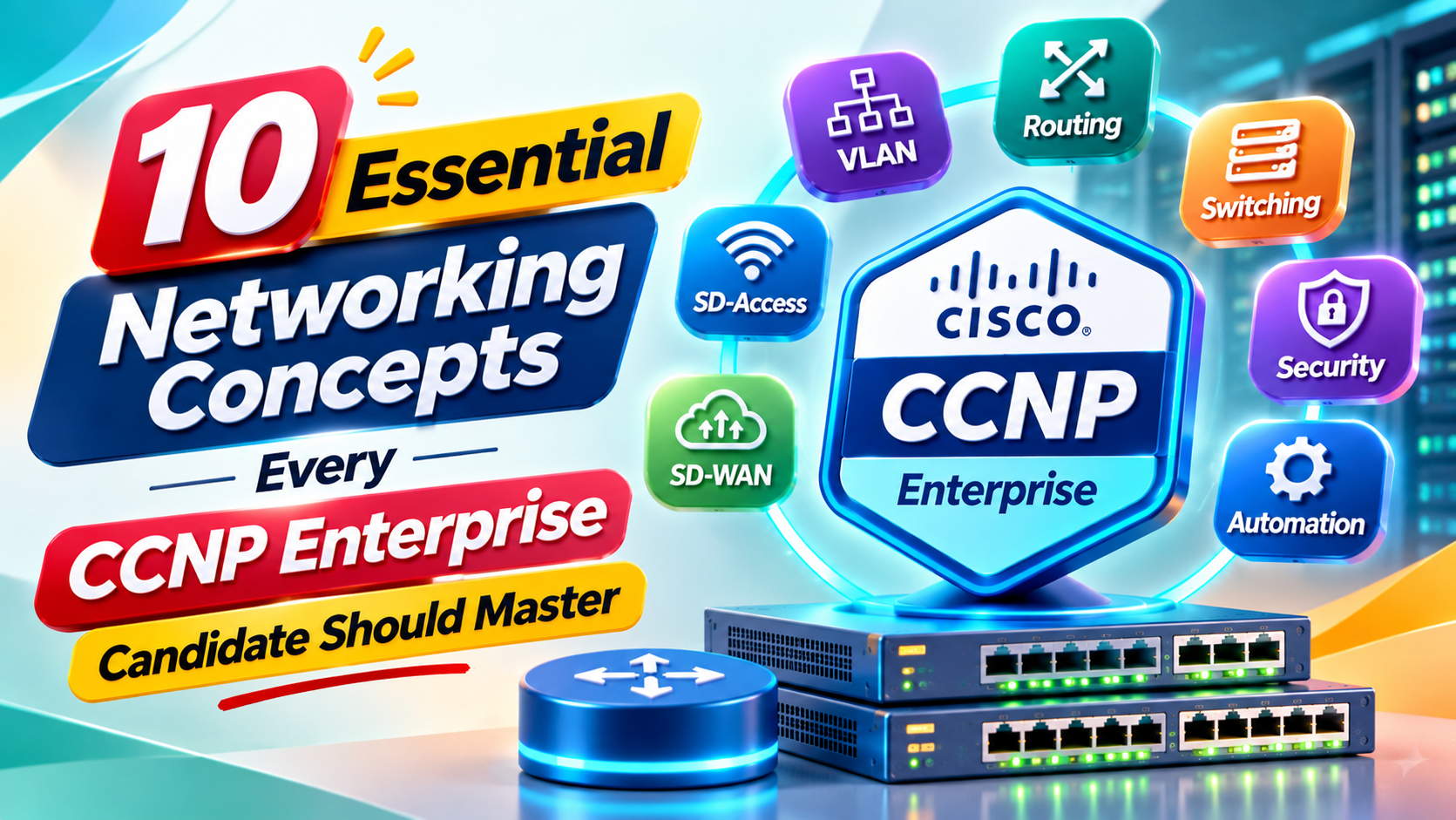
The 10 essential networking concepts every CCNP Enterprise candidate should master are Enterprise Network Architecture, Advanced Layer 2 Switching, IPv4 and IPv6 Forwarding, OSPF and EIGRP, BGP Routing, Network Redundancy and IP Services, Network Virtualization, Network Assurance, Infrastructure Security, and Network Automation.
These technologies form the foundation of modern enterprise network design, configuration, security, and operations.
While CCNA introduces important networking fundamentals, CCNP Enterprise requires a deeper understanding of how different technologies interact across multiple devices and network segments.
In this guide, we'll explore the 10 concepts with technical explanations, Cisco IOS verification commands, practical scenarios, and troubleshooting techniques. You'll also configure a multiarea OSPF network, diagnose an area mismatch, and use Python to check sample routing configurations.
The goal is to develop practical engineering skills while preparing for Cisco's 350-401 ENCOR examination.
What Is CCNP Enterprise Certification?
Cisco Certified Network Professional (CCNP) Enterprise is a professional-level certification focused on implementing, operating, securing, and troubleshooting enterprise networks.
It covers technologies used in campus networks, WAN connectivity, routing infrastructure, network assurance, virtualization, and automation.
How Do You Earn CCNP Enterprise?
Candidates must pass two exams:
Core exam: 350-401 ENCOR — Implementing Cisco Enterprise Network Core Technologies.
Concentration exam: One eligible exam selected according to the candidate's specialization.
For example, professionals interested in advanced enterprise routing may choose the 300-410 ENARSI concentration exam.
Passing ENCOR alone earns the Cisco Certified Specialist – Enterprise Core certification, but not the full CCNP Enterprise certification.
What Does ENCOR v1.2 Cover?
Cisco's current ENCOR v1.2 examination blueprint contains six domains.
| Exam Domain | Weight |
|---|---|
| Architecture | 15% |
| Virtualization | 10% |
| Infrastructure | 30% |
| Network Assurance | 10% |
| Security | 20% |
| Automation and Artificial Intelligence | 15% |
The examination duration is 120 minutes.
The Infrastructure domain has the largest weighting, but candidates should prepare across all six domains rather than focusing exclusively on routing and switching.
The following concepts connect these examination areas with practical enterprise networking responsibilities.
1. Enterprise Network Architecture and High Availability
Enterprise network architecture defines how routers, switches, connections, and network services are organized to support an organization's requirements.
A well-designed network should provide suitable performance, availability, security, scalability, and operational visibility.
Two-Tier vs. Three-Tier Network Architecture
A traditional three-tier enterprise network contains three functional layers.
Access layer: Connects computers, phones, printers, wireless infrastructure, and other endpoints.
Distribution layer: Aggregates access connections and commonly provides Layer 3 routing, segmentation, and policy enforcement.
Core layer: Provides high-speed connectivity between major network sections.
A two-tier design combines distribution and core responsibilities into a collapsed core.
Example Architecture
              CORE NETWORK
               /        \
              /          \
       DISTRIBUTION A   DISTRIBUTION B
           /    \           /    \
          /      \         /      \
       ACCESS   ACCESS   ACCESS   ACCESS
         |        |        |        |
       USERS    PHONES   SERVERS   USERS
Figure 1: A simplified three-tier enterprise architecture. Actual redundancy and forwarding behavior depend on the selected technologies and configuration.
Understanding Network Redundancy
Redundancy provides alternative resources or paths when components fail.
For example, an access switch may connect to two distribution switches.
If one uplink fails, a correctly configured network may continue forwarding traffic through another connection.
However, adding redundant links without the appropriate switching or routing controls can introduce Layer 2 loops and other problems.
Important High Availability Concepts
CCNP candidates should understand:
- Redundant physical links
- First-hop redundancy protocols
- Stateful switchover
- High availability design
- Failure domains
- Appropriate capacity planning
Practical Engineering Scenario
An organization experiences an outage whenever its primary distribution switch is restarted.
The network engineer examines whether the architecture provides a redundant forwarding path and whether the required protocols are configured correctly.
Key skill: Evaluate how network design choices affect connectivity, resilience, and troubleshooting complexity.
2. Advanced Layer 2 Switching: VLANs, EtherChannel, and STP
Layer 2 switching allows Ethernet devices to communicate within local network segments.
At the CCNP level, understanding basic switching behavior is not enough. Candidates must also understand how VLANs, trunks, link aggregation, and spanning-tree protocols interact.
VLANs and 802.1Q Trunking
A Virtual Local Area Network (VLAN) represents a logical Layer 2 broadcast domain.
An enterprise might use VLAN 10 for employees, VLAN 20 for finance, and VLAN 30 for infrastructure management.
An 802.1Q trunk allows supported devices to carry traffic from multiple VLANs over one physical link.
EtherChannel and LACP
EtherChannel combines compatible physical Ethernet links into one logical interface.
Link Aggregation Control Protocol (LACP) provides a standardized mechanism for negotiating link aggregation.
For example, two switches might use two Gigabit Ethernet interfaces as members of one Port-channel.
Example LACP Configuration
On a supported Cisco IOS switch:
enable
configure terminal

interface range GigabitEthernet1/0/1 - 2
 switchport mode trunk
 channel-group 1 mode active
exit

interface Port-channel1
 switchport mode trunk
exit

end
Interface names and supported configurations depend on the device.
Both ends of the connection need compatible EtherChannel settings.
Verify EtherChannel
show etherchannel summary
show interfaces trunk
The commands help determine whether the Port-channel is operational and whether its member interfaces are participating correctly.
Understanding Spanning Tree
Spanning Tree Protocol prevents Layer 2 forwarding loops in networks containing redundant paths.
Relevant technologies include Rapid Spanning Tree Protocol (RSTP), Multiple Spanning Tree (MST), BPDU Guard, and Root Guard.
Practical Troubleshooting Scenario
Two switches have compatible physical interfaces, but their EtherChannel is not forming.
The engineer should inspect interface configuration consistency, LACP negotiation, trunk settings, and operational status.
Useful commands include:
show etherchannel summary
show interfaces status
show spanning-tree
show interfaces trunk
Key skill: Understand why a Layer 2 connection succeeds or fails instead of relying only on configuration commands.
3. IPv4, IPv6, and Packet Forwarding
IPv4 and IPv6 provide logical addressing for communication across routed networks.
CCNP Enterprise candidates need to understand how devices learn routes, select destinations, and forward packets.
Understanding Longest-Prefix Matching
Routers use the most specific matching installed route to forward traffic.
Consider the following routes:
10.0.0.0/8
10.20.0.0/16
10.20.30.0/24
A packet destined for 10.20.30.50 matches all three networks.
The /24 route is the most specific match and is therefore preferred for forwarding, assuming that route is installed and usable.
Routing Information vs. Forwarding Information
A router's control plane learns and selects routing information.
The data plane uses forwarding information to move packets.
Cisco Express Forwarding (CEF) uses structures such as the Forwarding Information Base (FIB) and adjacency information to support efficient forwarding.
Useful Verification Commands
show ip route
show ipv6 route
show ip cef
show adjacency
show ip interface brief
show ipv6 interface brief
Not all commands or options are supported on every platform.
Why IPv6 Matters
IPv6 introduces a larger address space and uses Neighbor Discovery rather than IPv4 ARP.
Enterprise engineers should understand addressing, prefixes, neighbor relationships, and IPv6 route selection.
Practical Scenario
A workstation can reach a server through IPv4 but fails when attempting to reach its IPv6 address.
The engineer checks the workstation's IPv6 configuration, default route, neighbor discovery behavior, and the IPv6 routes on intermediate devices.
Key skill: Distinguish addressing, routing, and packet-forwarding problems using actual device evidence.
4. OSPF and EIGRP: Enterprise Routing Protocols
Dynamic routing protocols allow routers to exchange reachability information and adapt to certain network changes.
OSPF and EIGRP are important routing concepts within Cisco enterprise networking.
How OSPF Works
Open Shortest Path First (OSPF) is a link-state routing protocol.
Routers exchange information about network topology and calculate routes using the Shortest Path First algorithm.
OSPF supports areas to organize the routing domain.
Area 0 is the backbone area, and Area Border Routers connect other areas to the backbone.
OSPFv2 vs. OSPFv3
OSPFv2 is commonly used for IPv4.
OSPFv3 supports IPv6 and, on suitable implementations, can also support IPv4 address families.
ENCOR v1.2 includes configuration of simple OSPFv2 and OSPFv3 environments, including multiple normal areas.
How EIGRP Works
Enhanced Interior Gateway Routing Protocol (EIGRP) uses an advanced distance-vector approach.
Its Diffusing Update Algorithm (DUAL) helps determine loop-free paths and supports routing convergence.
OSPF vs. EIGRP
| Feature | OSPF | EIGRP |
|---|---|---|
| Protocol type | Link-state | Advanced distance-vector |
| Main algorithm | SPF | DUAL |
| Metric | Cost | Composite metric |
| Hierarchical areas | Supported | No equivalent OSPF-style area system |
| Common use | Enterprise internal routing | Supported enterprise routing environments |
Essential OSPF Commands
show ip ospf neighbor
show ip ospf interface brief
show ip ospf database
show ip route ospf
For supported EIGRP configurations:
show ip eigrp neighbors
show ip route eigrp
Practical Troubleshooting Scenario
A branch router stops learning routes from the headquarters.
The engineer verifies its physical interface, IP addressing, OSPF area, neighbor state, and routing information.
An OSPF area mismatch may prevent an adjacency from forming.
Key skill: Understand how routing protocols exchange information, establish neighbor relationships, and respond to configuration problems.
5. BGP and Enterprise Route Selection
Border Gateway Protocol (BGP) is a path-vector routing protocol used to exchange reachability information between autonomous systems.
BGP is particularly important for internet connectivity and enterprise networks with multiple external connections.
What Is an Autonomous System?
An Autonomous System is a collection of networks operating under a defined routing administration.
BGP uses Autonomous System Numbers (ASNs) to identify routing domains.
Understanding eBGP
External BGP (eBGP) operates between routers belonging to different autonomous systems.
For example, an enterprise router may establish an eBGP session with a directly connected internet service provider router.
BGP Route Attributes
Important attributes and concepts include:
| Attribute | Main Purpose |
|---|---|
| AS_PATH | Shows autonomous systems associated with a route's path |
| LOCAL_PREF | Influences route preference within an AS |
| MED | Can influence route preference between neighboring ASes under applicable conditions |
| NEXT_HOP | Identifies the BGP next-hop address |
| Weight | Cisco-specific local route preference |
| Neighbor state | Helps determine whether a BGP session is established |
BGP best-path selection is a structured process involving several rules.
A single attribute should not be evaluated without understanding the rest of the routing policy.
Useful Commands
show bgp ipv4 unicast summary
show bgp ipv4 unicast
show ip route bgp
Command forms vary across IOS and IOS XE versions.
Practical Scenario
An organization connects to two internet providers.
Its network engineer needs to understand which external routes are available and how the enterprise selects an outbound path.
The engineer reviews BGP sessions, best-path decisions, and configured routing policies.
ENCOR vs. Advanced BGP Studies
ENCOR v1.2 focuses on directly connected eBGP neighbors and relevant best-path concepts.
More advanced routing policies and troubleshooting may be studied in greater depth through concentration exams such as ENARSI.
Key skill: Interpret external route advertisements and understand why BGP selects one path over another.
6. First-Hop Redundancy, NAT, and Quality of Service
Enterprise networks require reliable default gateways, suitable external connectivity, and predictable traffic handling.
First-hop redundancy, Network Address Translation, and Quality of Service support these requirements.
First-Hop Redundancy Protocols
First-Hop Redundancy Protocols provide resilient default-gateway functionality.
Common examples include HSRP and VRRP.
How HSRP Works
Two routers can participate in an HSRP group and provide a shared virtual gateway address.
Hosts use the virtual address as their default gateway.
If the active router becomes unavailable and failover occurs as configured, another router can assume the gateway role.
Example verification:
show standby brief
Network Address Translation
NAT modifies IP addressing information as traffic passes through a translating device.
Port Address Translation allows multiple internal connections to share a translated IPv4 address through transport-layer port differentiation.
Example verification:
show ip nat translations
Quality of Service
QoS allows network administrators to classify traffic and apply appropriate handling policies.
Important concepts include classification, marking, queuing, policing, and shaping.
Practical Example
A business uses its network for video conferencing, file transfers, and web applications.
When congestion occurs, configured QoS policies can help determine how selected traffic classes are treated.
QoS cannot create additional physical bandwidth, but it can influence how limited network resources are allocated.
Verification
show policy-map interface
Key skill: Explain how gateway failover, address translation, and traffic-management policies influence network behavior.
7. Network Virtualization, Overlays, SD-WAN, and SD-Access
Modern enterprise networking involves more than physical interfaces and manually configured routing paths.
Virtualization and software-defined networking introduce additional ways to separate routing environments, transport traffic, and manage large networks.
Virtual Routing and Forwarding
VRF allows supported devices to maintain separate routing tables.
For example, an enterprise may use different VRFs for corporate services and a separate business environment.
This helps provide routing separation on shared infrastructure.
GRE and IPsec
Generic Routing Encapsulation (GRE) encapsulates packets for transport across an IP network.
GRE alone does not provide encryption.
IPsec provides security services for supported IP communications, including encryption and authentication.
What Is VXLAN?
Virtual Extensible LAN (VXLAN) is an overlay technology that encapsulates Layer 2 traffic over an IP transport network.
VXLAN is used in various modern data center and network fabric architectures.
What Is SD-WAN?
Software-Defined Wide Area Networking provides centralized approaches to managing WAN connectivity and policies.
Cisco Catalyst SD-WAN separates relevant management, control, and forwarding functions.
What Is Cisco SD-Access?
Cisco SD-Access is a campus networking architecture designed to support fabric-based connectivity and policy-driven segmentation.
Its architecture uses multiple technologies to separate endpoint policy and network forwarding responsibilities.
Practical Scenario
A business operates offices in multiple cities.
Instead of manually configuring every WAN routing policy independently, it uses a suitable SD-WAN platform to manage selected connectivity and traffic policies centrally.
ENCOR Learning Focus
Candidates should understand the purpose of:
- VRF
- GRE
- IPsec
- LISP
- VXLAN
- Cisco Catalyst SD-WAN
- Cisco SD-Access
Key skill: Understand how virtual networks and overlays support segmentation, scalable connectivity, and centralized management.
8. Network Assurance, Monitoring, and Troubleshooting
Network assurance involves observing network behavior and using operational information to investigate connectivity, reliability, and performance.
A network may be reachable but still provide poor application performance.
For example, a link may remain operational while experiencing significant interface errors or congestion.
Important Network Assurance Technologies
| Technology | Purpose |
|---|---|
| SNMP | Monitor supported device information |
| Syslog | Collect device and system event messages |
| Flexible NetFlow | Analyze network traffic flow information |
| SPAN/RSPAN/ERSPAN | Mirror selected traffic for analysis |
| IP SLA | Perform configured network measurements |
| Cisco Catalyst Center | Support network management, automation, and assurance |
| NETCONF/RESTCONF | Access supported structured device data |
ENCOR v1.2 explicitly includes configuring and verifying selected assurance technologies.
Practical Scenario: Slow Application Performance
Users report that an application becomes slow during business hours.
The engineer checks interface counters, available utilization measurements, logs, and traffic patterns.
The investigation helps determine whether the issue involves congestion, packet loss, routing, or application behavior.
Useful Commands
show interfaces
show logging
show ip sla statistics
ping
traceroute
Some verification commands require the underlying feature to be configured.
Why Monitoring Matters
Good troubleshooting depends on having reliable evidence.
Without appropriate logs and operational visibility, engineers may spend time investigating incorrect assumptions.
Key skill: Use monitoring information to distinguish network faults from application, endpoint, and configuration problems.
9. Infrastructure Security and Access Control
Enterprise networks must protect their devices, management systems, and network traffic.
A network can provide excellent connectivity while remaining insecure if administrative access and traffic restrictions are not configured appropriately.
Secure Device Management
Network administrators should use supported secure management methods and appropriate authentication.
Access should be limited according to operational responsibilities.
Authentication, Authorization, and Accounting
AAA provides a framework for managing access to network resources.
Authentication verifies identity.
Authorization determines permitted actions.
Accounting records supported access and activity information.
Cisco environments may use protocols such as RADIUS and TACACS+ for centralized AAA.
Access Control Lists
ACLs control selected traffic according to configured conditions.
For example, an enterprise might restrict management access to approved administrative networks.
Control Plane Policing
Control Plane Policing (CoPP) helps manage selected traffic directed toward the networking device's control plane.
It can reduce the impact of certain unwanted or excessive traffic patterns.
Other Security Concepts
The ENCOR v1.2 blueprint also addresses:
- Network threat defense
- Endpoint security
- Next-generation firewalls
- TrustSec
- MACsec
- REST API security
Practical Verification
Useful commands depend on the configured security features.
Examples include:
show access-lists
show running-config
show policy-map control-plane
show logging
Key skill: Configure security controls and verify that they protect the network without unnecessarily disrupting authorized operations.
10. Network Automation, APIs, and AI-Assisted Operations
Enterprise networks may contain hundreds or thousands of managed devices.
Manually performing the same operation on each device can create repetitive work and configuration inconsistencies.
Network automation helps engineers manage selected tasks through scripts, APIs, data models, and orchestration tools.
Why Python Matters
Python can process structured data, validate configuration information, interact with supported device APIs, and generate operational reports.
For example, a script might review device inventory information and identify missing or inconsistent values.
Understanding JSON
JSON is a structured text format commonly used by APIs.
Example:
{
  "hostname": "Core-R1",
  "site": "Headquarters",
  "management_ip": "192.0.2.10"
}
The IP address shown is reserved for documentation.
NETCONF and RESTCONF
NETCONF supports structured network configuration and state management.
RESTCONF provides an HTTP-based interface for interacting with supported device configuration and operational data.
Both can use YANG models to define structured information.
What Is YANG?
YANG is a data-modeling language used to describe configuration and operational data.
It helps management tools understand the structure of supported network information.
What Is Cisco EEM?
Embedded Event Manager (EEM) allows supported Cisco devices to perform configured actions in response to selected events.
For example, an EEM applet may collect diagnostic information following a particular system event.
Where AI Fits Into Network Operations
AI-assisted systems can help summarize logs, suggest troubleshooting steps, and identify possible configuration problems.
However, AI-generated recommendations may be incomplete or incorrect.
Engineers should verify them using device output, network topology, and relevant operational data.
Key skill: Use automation to improve repeatability while retaining control over network configuration and troubleshooting decisions.
Quick Comparison of the 10 CCNP Enterprise Concepts
| Concept | Main Responsibility | Practical Skill |
|---|---|---|
| Enterprise Architecture | Scalable and resilient network design | Evaluate redundancy |
| Advanced Layer 2 | Stable switched connectivity | Troubleshoot trunks, STP, EtherChannel |
| IPv4/IPv6 Forwarding | Move packets across networks | Interpret routing and forwarding data |
| OSPF and EIGRP | Internal dynamic routing | Verify protocol behavior |
| BGP | External route exchange | Examine neighbor and path selection |
| Redundancy and IP Services | Availability and traffic handling | Verify HSRP, NAT, QoS |
| Network Virtualization | Segmentation and overlays | Understand VRF, VXLAN, SD-WAN |
| Network Assurance | Operational visibility | Analyze logs and performance |
| Infrastructure Security | Protect devices and traffic | Verify AAA, ACLs, CoPP |
| Automation and AI | Repeatable network management | Process structured data and APIs |
These concepts are interconnected.
Understanding how they work together is essential for real enterprise network troubleshooting.
Hands-On CCNP Enterprise Lab: Configure and Troubleshoot Multiarea OSPF
Let's build a three-router OSPF environment.
The objective is to configure OSPF across two areas, verify route exchange, and troubleshoot an intentional area mismatch.
Lab Requirements
Use three routers running a supported Cisco IOS or IOS XE image.
Cisco Modeling Labs or another authorized virtual lab environment with suitable Cisco images can be used.
Two PCs or simulated hosts are also useful for establishing the LAN links and testing end-to-end connectivity.
This lab is intended for an isolated training environment, not a production network.
Network Topology
PC-A         R1            R2           R3         PC-B
 |            |             |            |           |
 |       G0/1 | G0/0   G0/0 | G0/1  G0/0 | G0/1      |
 +------------+-------------+------------+-----------+
              |   Area 0    |  Area 10   |
              |             |            |
           10.0.12.0/30   10.0.23.0/30

   LAN-A                                LAN-B
192.168.10.0/24                    192.168.30.0/24
Figure 2: Three-router multiarea OSPF topology. R2 connects Area 0 and Area 10 and operates as the Area Border Router.
IP Addressing Plan
| Device | Interface | IPv4 Address | OSPF Area |
|---|---|---|---|
| R1 | G0/0 | 10.0.12.1/30 | 0 |
| R1 | G0/1 | 192.168.10.1/24 | 0 |
| R2 | G0/0 | 10.0.12.2/30 | 0 |
| R2 | G0/1 | 10.0.23.1/30 | 10 |
| R3 | G0/0 | 10.0.23.2/30 | 10 |
| R3 | G0/1 | 192.168.30.1/24 | 10 |
Configure PC-A as 192.168.10.10/24 with gateway 192.168.10.1.
Configure PC-B as 192.168.30.10/24 with gateway 192.168.30.1.
Ensure the interfaces and cables are connected and operational before testing.
The commands below assume GigabitEthernet0/0 and GigabitEthernet0/1. Adjust interface names if your virtual routers use different numbering.
Step 1: Configure R1
Open R1's CLI.
enable
configure terminal

interface GigabitEthernet0/0
 ip address 10.0.12.1 255.255.255.252
 ip ospf 10 area 0
 no shutdown
exit

interface GigabitEthernet0/1
 ip address 192.168.10.1 255.255.255.0
 ip ospf 10 area 0
 no shutdown
exit

router ospf 10
 router-id 1.1.1.1
 passive-interface GigabitEthernet0/1
exit

end
R1 participates in OSPF Area 0.
Its LAN interface is configured as passive, which allows the connected network to be advertised without attempting to establish OSPF neighbor relationships with LAN hosts.
The LAN interface must still be operational for the connected route to be present.
Step 2: Configure R2
R2 connects the two OSPF areas.
enable
configure terminal

interface GigabitEthernet0/0
 ip address 10.0.12.2 255.255.255.252
 ip ospf 10 area 0
 no shutdown
exit

interface GigabitEthernet0/1
 ip address 10.0.23.1 255.255.255.252
 ip ospf 10 area 10
 no shutdown
exit

router ospf 10
 router-id 2.2.2.2
exit

end
R2 has one interface in Area 0 and another in Area 10.
When OSPF operates correctly, it functions as an Area Border Router.
Step 3: Configure R3
Configure R3's interfaces and OSPF process.
enable
configure terminal

interface GigabitEthernet0/0
 ip address 10.0.23.2 255.255.255.252
 ip ospf 10 area 10
 no shutdown
exit

interface GigabitEthernet0/1
 ip address 192.168.30.1 255.255.255.0
 ip ospf 10 area 10
 no shutdown
exit

router ospf 10
 router-id 3.3.3.3
 passive-interface GigabitEthernet0/1
exit

end
R3 participates in OSPF Area 10 and advertises its LAN network.
Step 4: Verify OSPF Neighbors
On R2, run:
show ip ospf neighbor
Expected behavior:
- R1 establishes an OSPF adjacency with R2.
- R3 establishes an OSPF adjacency with R2.
- Both adjacencies reach the appropriate FULL state after convergence.
Next, inspect the OSPF interfaces:
show ip ospf interface brief
Confirm that R2's two links belong to their intended areas.
Step 5: Verify Learned Routes
On R1, run:
show ip route ospf
The routing table should contain an OSPF interarea route toward 192.168.30.0/24.
A typical route will be identified using the O IA route code.
On R3, run the same command.
R3 should have an interarea route toward 192.168.10.0/24.
What Does O IA Mean?
O indicates an OSPF-learned route.
IA indicates that it is an interarea route.
This distinction helps engineers understand whether routes are being learned within or across OSPF areas.
Step 6: Test End-to-End Connectivity
From R1, use a sourced ping:
ping 192.168.30.1 source 192.168.10.1
If OSPF has converged and all relevant interfaces are operational, the ping should succeed.
You can also test connectivity between PC-A and PC-B.
Successful communication demonstrates that the routers have the necessary paths to forward traffic between the LAN networks.
Step 7: Introduce an OSPF Area Mismatch
Now create a controlled configuration error.
On R2:
configure terminal

interface GigabitEthernet0/1
 ip ospf 10 area 20
exit

end
The R2-to-R3 connection now has mismatched area assignments.
R2 uses Area 20, while R3 still uses Area 10.
Step 8: Troubleshoot the Failure
On R2, run:
show ip ospf neighbor
show ip ospf interface brief
show ip route ospf
Inspect the results.
The R2-to-R3 adjacency should no longer operate correctly because the routers disagree about the OSPF area on their shared link.
Routes dependent on that adjacency may disappear after the relevant OSPF state changes and convergence.
How to Identify the Root Cause
Compare the area configuration on both ends of the link.
The issue is not simply that a remote route is missing.
The route is missing because the OSPF adjacency is not functioning correctly.
This distinction is important when troubleshooting dynamic routing.
Step 9: Restore the Correct OSPF Area
On R2, enter:
configure terminal

interface GigabitEthernet0/1
 ip ospf 10 area 10
exit

end
Allow OSPF to converge.
Then run:
show ip ospf neighbor
show ip route ospf
Verify that the adjacency returns to the appropriate state and that the expected routes are available again.
Step 10: Verify and Document the Network
Use the following checklist:
| Verification | Expected Result |
|---|---|
| R1-to-R2 neighbor | FULL |
| R2-to-R3 neighbor | FULL |
| R1 route to LAN-B | OSPF interarea |
| R3 route to LAN-A | OSPF interarea |
| R1 sourced ping to R3 LAN | Successful |
| PC-A to PC-B connectivity | Successful, if hosts are correctly configured |
Document the original state, introduced fault, observed symptoms, root cause, correction, and final verification.
What This OSPF Lab Teaches
The exercise demonstrates several professional networking skills:
- Interface-based OSPF configuration
- Multiarea routing
- Area Border Router behavior
- Passive interfaces
- OSPF neighbor relationships
- Interarea route interpretation
- Root-cause troubleshooting
- Verification after a configuration change
The important lesson is to understand why an OSPF route disappears, identify the failing adjacency, and validate the correction using device evidence.
Hands-On Python Exercise: Detect an OSPF Area Mismatch
Network automation does not always require connecting to production devices.
A useful beginner exercise is to validate structured network configuration information offline.
Let's create a simple Python script that compares the intended OSPF area assignments on both ends of two links.
Step 1: Create the Sample Data
Create a file named ospf_area_check.py.
links = [
    {
        "name": "R1-R2",
        "left_area": 0,
        "right_area": 0
    },
    {
        "name": "R2-R3",
        "left_area": 10,
        "right_area": 10
    }
]
The data represents the intended area assignments in our three-router lab.
Step 2: Write the Validation Logic
Add:
def check_areas(links):
    for link in links:
        if link["left_area"] == link["right_area"]:
            result = "MATCH"
        else:
            result = "MISMATCH"

        print(f'{link["name"]}: {result}')


check_areas(links)
Expected output:
R1-R2: MATCH
R2-R3: MATCH
Both links have matching area assignments.
Step 3: Simulate a Configuration Error
Add the following code:
links[1]["left_area"] = 20

print("After configuration change:")
check_areas(links)
Expected output:
After configuration change:
R1-R2: MATCH
R2-R3: MISMATCH
What Does the Script Demonstrate?
The script identifies a mismatch in the supplied configuration data.
It does not connect to Cisco routers, retrieve their running configurations, or verify actual OSPF neighbor relationships.
A production automation solution would need to retrieve trusted device information, parse it correctly, and evaluate additional OSPF requirements.
Two interfaces having the same area number does not, by itself, guarantee that an OSPF adjacency will form.
Other factors include addressing, authentication, interface state, hello/dead timers, network types, and compatible configurations.
Why This Matters for CCNP
The exercise introduces a common automation pattern:
Collect structured information → compare expected values → identify inconsistencies → report the result.
This pattern can be extended to other network checks, such as VLAN consistency, routing policy validation, and interface inventory reviews.
Essential Cisco IOS Verification Commands
CCNP candidates should become comfortable interpreting commands rather than simply memorizing them.
| Command | Main Verification Purpose |
|---|---|
show ip interface brief |
Interface status and IPv4 addressing |
show interfaces trunk |
Trunk status and VLAN information |
show etherchannel summary |
Link aggregation membership |
show spanning-tree |
Layer 2 topology and port roles |
show ip route |
IPv4 routing table |
show ipv6 route |
IPv6 routing information |
show ip ospf neighbor |
OSPF neighbor relationships |
show ip route ospf |
OSPF-learned routes |
show bgp ipv4 unicast summary |
BGP peer status |
show standby brief |
HSRP status |
show ip nat translations |
NAT translations |
show policy-map interface |
Applied QoS policies |
show logging |
Available system event logs |
show running-config |
Current device configuration |
Command support depends on the platform, software release, and enabled features.
In troubleshooting, always ask what the command output proves and which possibilities remain unresolved.
A Six-Week CCNP Enterprise Learning Roadmap
Candidates with CCNA-level networking knowledge can use the following roadmap to organize their practice.
| Week | Focus Area | Practical Activities |
|---|---|---|
| Week 1 | Architecture and Layer 2 | Practice VLANs, EtherChannel, STP, redundancy |
| Week 2 | IPv4/IPv6 and OSPF | Configure multiarea OSPF and troubleshoot neighbors |
| Week 3 | BGP and IP services | Explore directly connected eBGP, FHRP, NAT, and QoS |
| Week 4 | Virtualization and overlays | Study VRF, GRE, VXLAN, SD-WAN, and SD-Access |
| Week 5 | Assurance and security | Review logs, monitoring, ACLs, AAA, and CoPP |
| Week 6 | Automation and troubleshooting | Practice Python, JSON, APIs, and integrated network labs |
This is an overview for learners who already understand networking fundamentals.
It is not a guarantee that six weeks is sufficient to prepare for ENCOR or a concentration examination.
How Should You Practice Each Topic?
Begin by reviewing the underlying concepts.
Build a working lab when the technology supports practical configuration.
Use verification commands to establish a known-good state.
Next, introduce one controlled fault and investigate the symptoms.
Finally, restore the correct configuration and document the root cause.
This approach helps connect networking theory with operational decision-making.
Common Mistakes CCNP Enterprise Candidates Should Avoid
Studying Only Basic Definitions
Professional-level networking requires understanding protocol behavior and interactions across multiple devices.
Move beyond memorized explanations and practice real configuration scenarios.
Memorizing Commands Without Interpreting Output
A command can execute successfully even when the network is not working correctly.
Learn how to interpret routing entries, neighbor states, interface counters, and protocol information.
Ignoring BGP and Virtualization
Focusing exclusively on OSPF and switching can leave significant gaps in ENCOR preparation.
Study all six domains of the official blueprint.
Practicing Only Working Configurations
A working network teaches configuration.
A controlled failure teaches troubleshooting.
Practice both.
Skipping Automation
Python, JSON, APIs, and structured management protocols are part of modern enterprise networking.
Even basic programming knowledge can help engineers automate repetitive checks.
Overlooking Infrastructure Security
Routing and switching skills are not enough to maintain a secure enterprise network.
Study authentication, authorization, access restrictions, infrastructure security, and operational visibility.
Using Outdated Exam Objectives
Cisco can revise examination content.
Use the official ENCOR v1.2 objectives and confirm the latest requirements before booking.
Conclusion: Build CCNP-Level Skills Through Configuration and Troubleshooting
CCNP Enterprise preparation involves more than learning advanced networking terminology.
Enterprise architecture provides the foundation for reliable connectivity, while Layer 2 switching and IPv4/IPv6 forwarding support communication between devices and networks.
OSPF, EIGRP, and BGP explain how routing information is exchanged and selected.
Redundancy, NAT, and QoS support availability and traffic handling.
Virtualization, SD-WAN, and SD-Access introduce modern approaches to network segmentation and management.
Network assurance provides operational visibility, infrastructure security protects important resources, and automation supports repeatable configuration and monitoring workflows.
However, these technologies become most useful when engineers understand how they interact.
The multiarea OSPF lab in this guide demonstrates this principle. A small area configuration mismatch can disrupt neighbor relationships and remove routes from the network.
The Python exercise shows how structured data can help identify certain configuration inconsistencies before or during troubleshooting.
The most valuable CCNP Enterprise skill is the ability to explain how enterprise networking technologies operate, configure them correctly, interpret their behavior, and troubleshoot failures using reliable evidence.
For your next step, recreate the three-router OSPF lab, record the expected neighbor and route information, and introduce the area mismatch.
Then extend the lab by adding another OSPF area, practicing route summarization in a supported topology, or building a separate directly connected eBGP exercise.
Continue practicing until you can explain not just which command fixes a problem, but why that command changes the network's behavior.
That deeper understanding is useful for the ENCOR examination, advanced concentration studies, and professional enterprise network engineering.
Frequently Asked Questions
What Are the Most Important CCNP Enterprise Concepts?
The key concepts include enterprise architecture, advanced switching, IPv4/IPv6 forwarding, OSPF, EIGRP, BGP, redundancy, network virtualization, assurance, infrastructure security, and automation.
What Is the Current CCNP Enterprise Core Exam?
As of November 2026, the core exam is 350-401 ENCOR, Implementing Cisco Enterprise Network Core Technologies, using blueprint version 1.2.
How Many Exams Are Required for CCNP Enterprise?
Candidates must pass the core ENCOR examination and one eligible concentration examination.
Is OSPF Important for CCNP Enterprise?
Yes. ENCOR includes OSPFv2 and OSPFv3, including relevant multiarea configuration and routing concepts.
Does CCNP Enterprise Include BGP?
Yes. The ENCOR core blueprint includes directly connected eBGP neighbor configuration and best-path concepts.
Is EIGRP Still Included in ENCOR?
Yes. EIGRP remains relevant to understanding and comparing enterprise routing protocols, particularly in relation to OSPF.
Does CCNP Enterprise Include Network Automation?
Yes. The current blueprint includes Python, JSON, YANG, REST API concepts, NETCONF, RESTCONF, EEM, and orchestration-related topics.
Is Wireless Networking Still Covered in ENCOR v1.2?
Cisco has moved wireless-specific objectives to dedicated Wireless certifications. Candidates should follow the current ENCOR blueprint rather than older v1.1 material.
Can I Prepare for CCNP Enterprise Without Physical Routers?
Yes. Supported virtual networking labs can provide practical experience with many relevant technologies.
However, the available capabilities depend on the virtual platform and software images.
Is ENCOR the Same as ENARSI?
No. ENCOR covers core enterprise networking technologies, while ENARSI focuses more deeply on advanced routing, services, and troubleshooting.
Do I Need Hands-On Labs for CCNP Enterprise?
Practical labs are highly valuable because they help learners understand configuration behavior, routing protocols, failure conditions, and diagnostic commands.
Further Reading
Explore these official resources:
About the author
- Aidan Cortes shares IT networking insights at Cert Empire, helping learners develop skills in Linux, Cisco, and network automation. He simplifies technical concepts and supports professionals preparing for certifications and real-world networking challenges. Email: aidan@certempire.com
Comments
Join the discussionNo comments yet. Be the first to comment.